AVALEARN • PITCHED 2025
AI Tailored for learning
|
Product Designer
|
Team
Solo Project
|
Timeline
4weeks
April 2025 - May 2025
|
Deliverable:
Interactive Figma prototype
High-fidelity screens
Design system
OVERVIEW
AI Learning experience can be better
Learning has never been a higher demand like it is currently with numerous concept, idealogies popping now almost every moment, morden learners constantly way to learn better and while conventional AI tools like chatgpt,Gemini,Claude AI etc are often used to help save the day they are not exactly tailored for learning, I designed an AI tailored for learning
PROBLEM
Coventional AI Tools like Chatgpt, Gemini, Claude are great learing tools but can be better
Tools like ChatGPT, Gemini, and Claude can support learning, but they aren’t built to teach. Without structured learning paths, personalization, interactive visuals, or progress tracking, many learners end up confused, overwhelmed, or stuck rewriting prompts to get usable help. The result is drop-offs and stalled progress—proof the AI learning experience can be much better.
SOLUTION & CORE FLOWS
Avalern : AI tailoried for learning
To address these gaps, I designed Avalearn, an AI-powered learning platform that generates structured, step-by-step video lessons tailored to each learner. Users choose their level, preferred lesson length, and track progress in one place. The result is a more personalized, engaging learning experience that turns AI from a chatbot into a true learning companion.
The dashboard is minimal and organized. Users interact with the AI, set difficulty levels and tracks their progress all in one place.
Course Workspace, Brings together navigation, video lessons, and an AI chat box. Users filter videos and always see where they are in the course.
Onboarding, New users begin with a simple sign-up experience that includes email verification. It is fast, intuitive, and designed to get learners started quickly and securely.
Login Flow Returning users can log in easily, with built-in password recovery if needed. The experience stays smooth and consistent, all on the same page.
RESEARCH
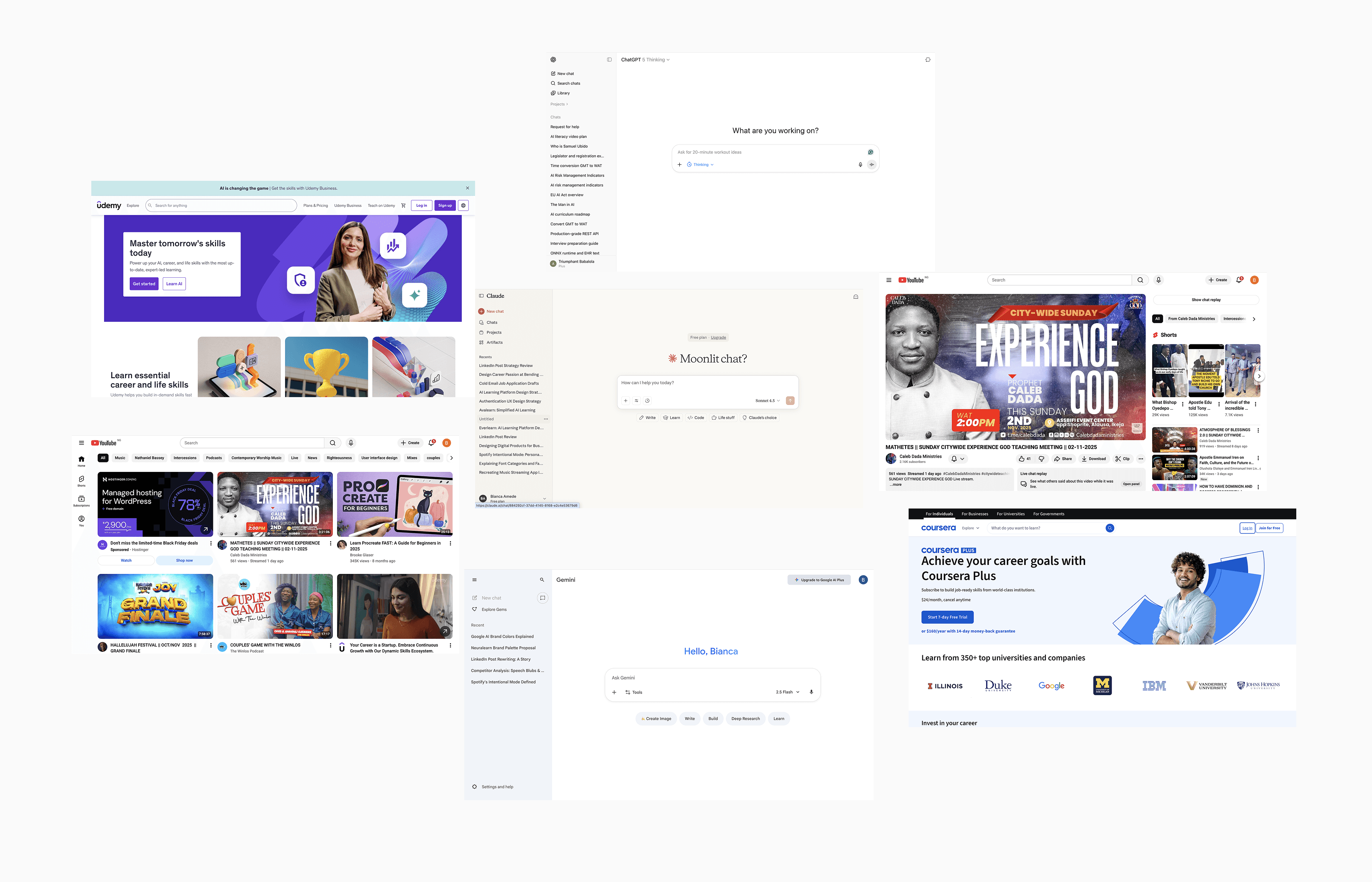
Learners Engage More With Interactive Content
I researched how people learn with AI tools and studied non-AI learning platforms to see what truly improves understanding. A clear pattern emerged: learners engage more and retain more when content is interactive, especially through video, visuals, and concise text rather than long text-heavy explanations. That insight shaped Avalearn as a video-first platform designed to make complex ideas easier to grasp and remember
INTERVIEW
Understanding user's learning experience with AI tools
To better understand how people learn with AI, I interviewed 20+ participants (students, career switchers, and self-learners) to uncover their needs and the challenges they face while learning with today’s tools.
PAINPOINTS
Most AI tools return long, dense responses with limited structure, leaving users mentally tired, confused, or unsure what to do next.
Without milestones, tailored feedback, or progress tracking, users quickly lose direction and motivation.
Even when images are possible, users want more dynamic, video-based explanations that feel closer to how people naturally learn.
These insights shaped Avalearn’s design direction, with a focus on clarity, personalization, and interactivity in AI-powered learning.
DESIGN PROCESS
An AI tool tailored for learning, with bespoke features for modern learners.
The concept of an AI tailored for for learning had already been validated by our initial user research, It was time to translate the research insights into visual design .
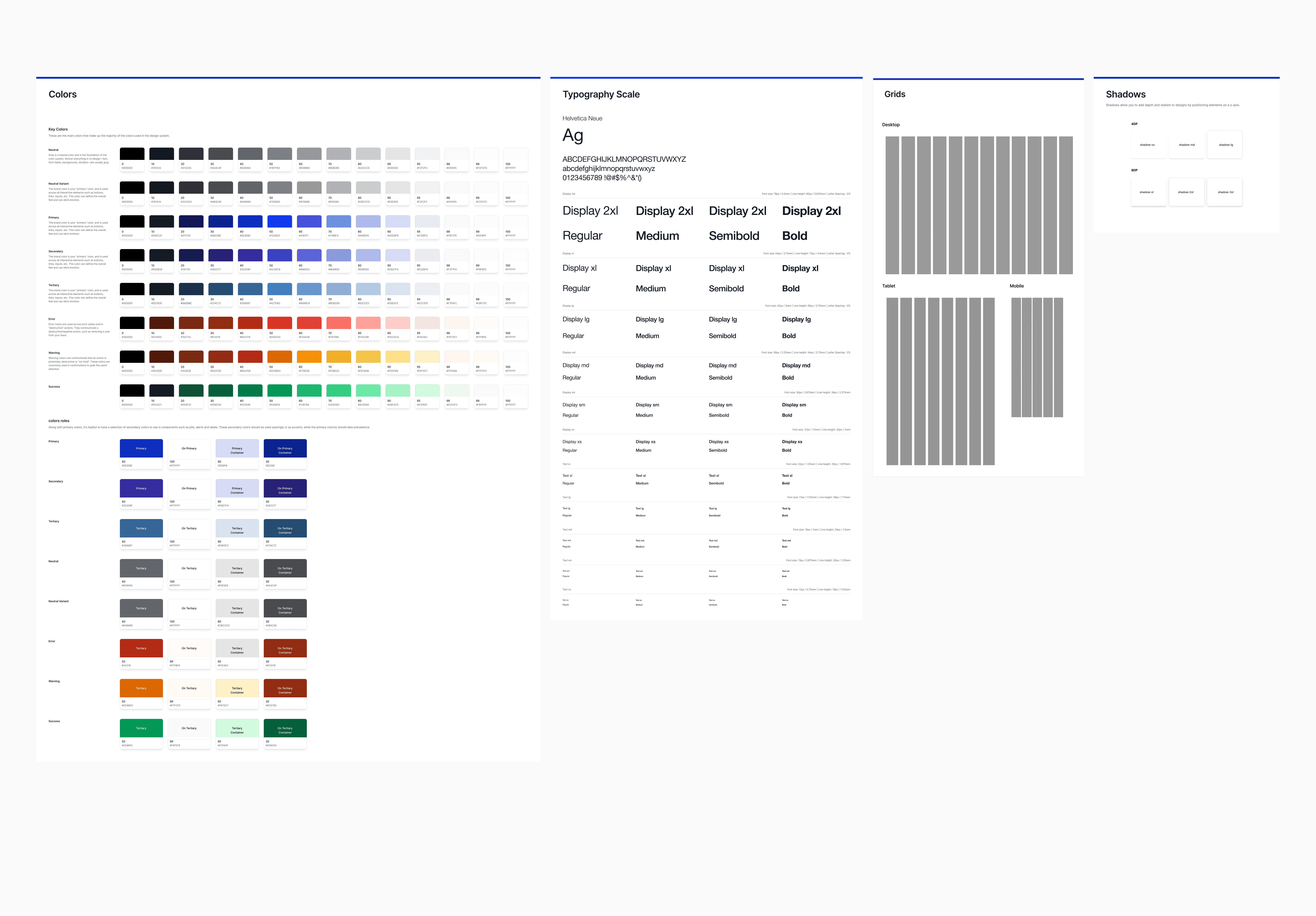
To drive consistency and speed, I created a design system.
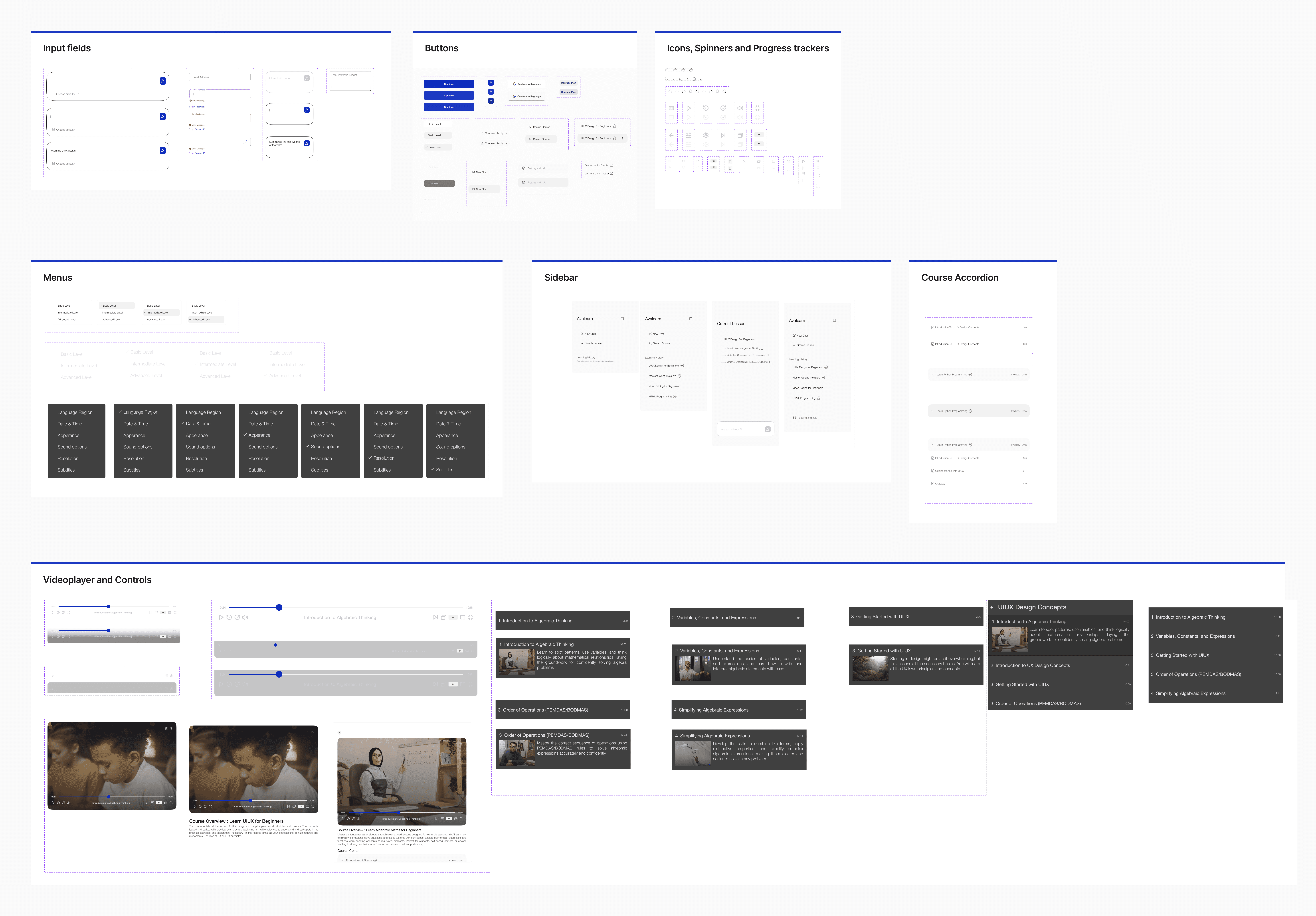
The entire design of this plaform was designed in Single Page Architecture in mind, this decison was due to the fact that we consisder technical devolopement and we want usuability case help with faster load time.
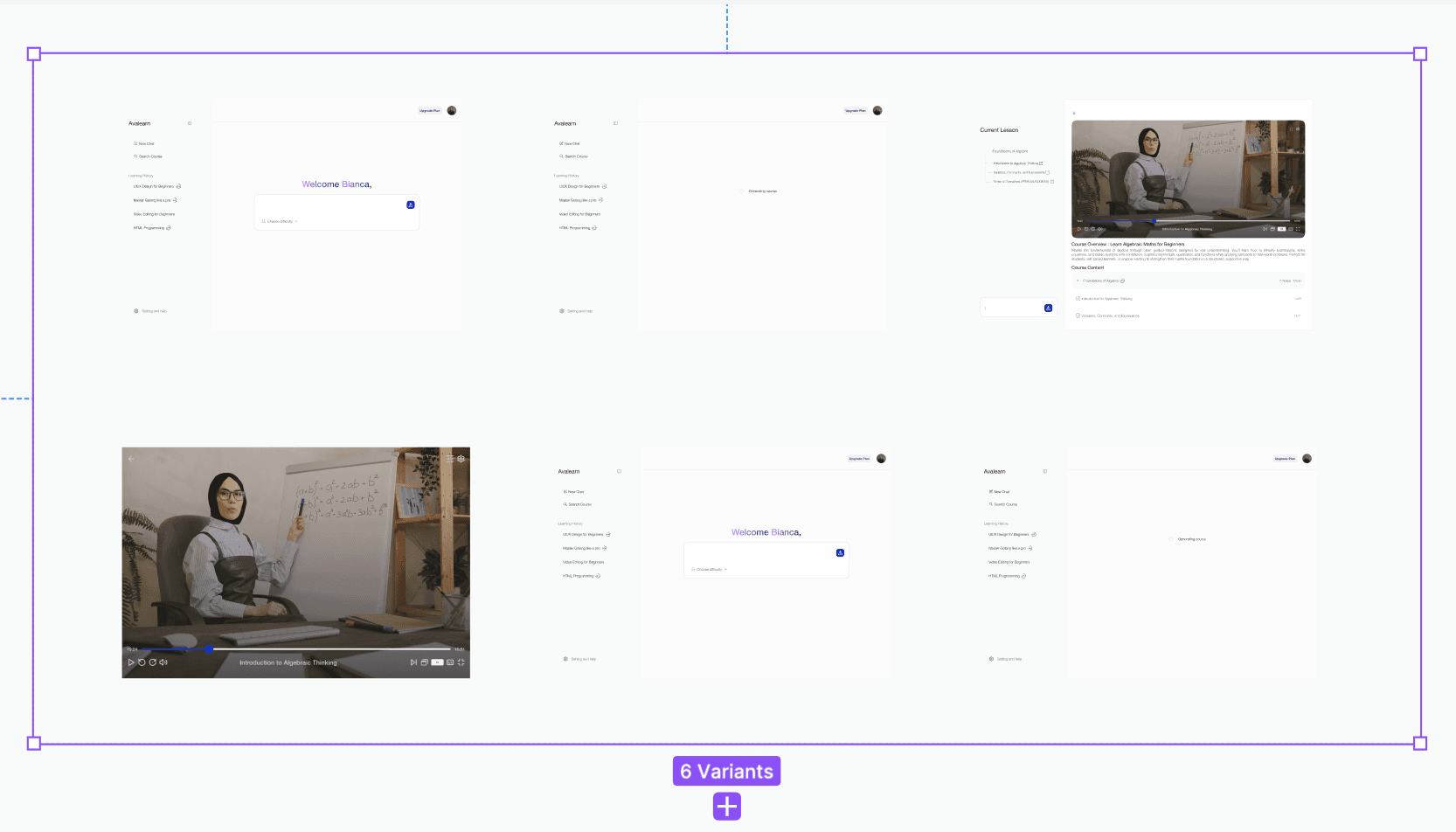
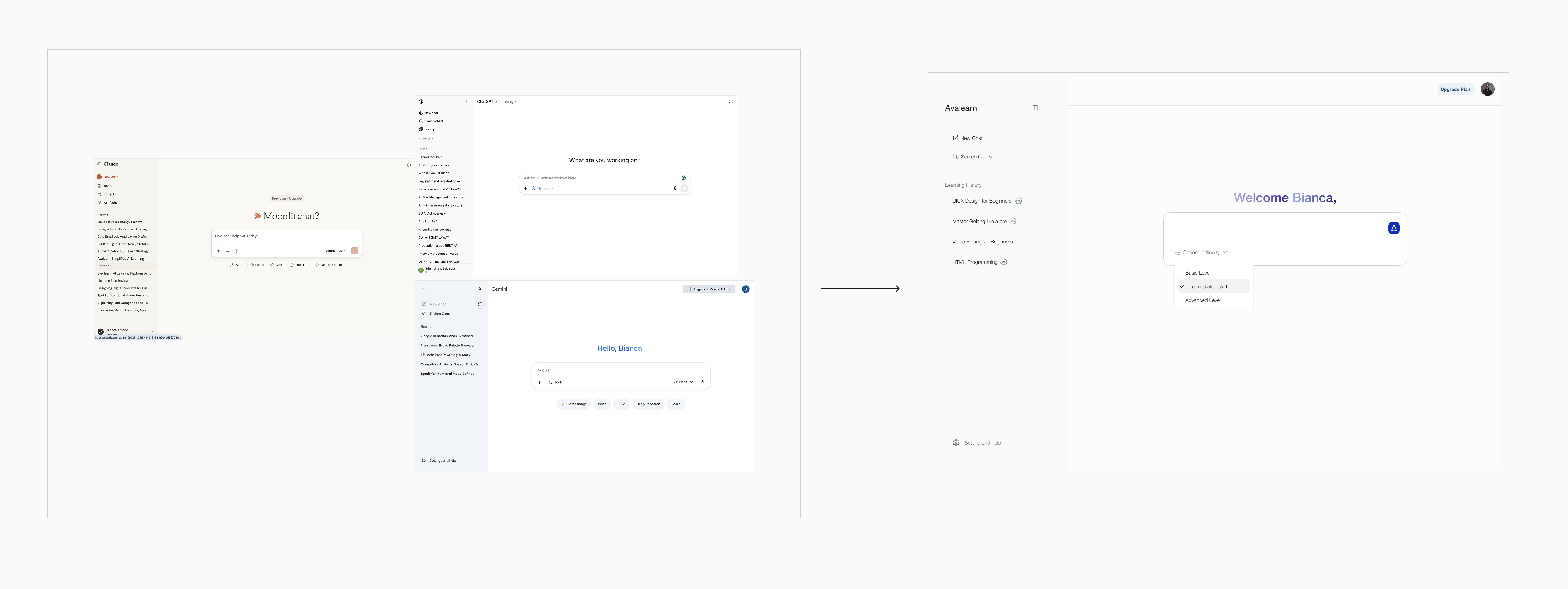
When I was designing the learner dashboard, I chose to base the layout on familiar chat-style AI tools so learners would not need to figure out a new interface before they could start learning, which keeps the experience light and reduces mental effort. I decided early that the goal was not to invent a new pattern but to use a simple, trusted frame and then add the right details for learning. Inside that frame, I added a per-topic progress tracker so learners can quickly see how far they have gone and where to continue when they return, which I expected to support stronger flow and higher course completion. I also added a knowledge-level selector, for example beginner or advanced, so people can control how simple or deep the AI’s answers are, giving learners more confidence, keeping the UI straightforward for engineers to build, and creating a clear path to better engagement for the business.
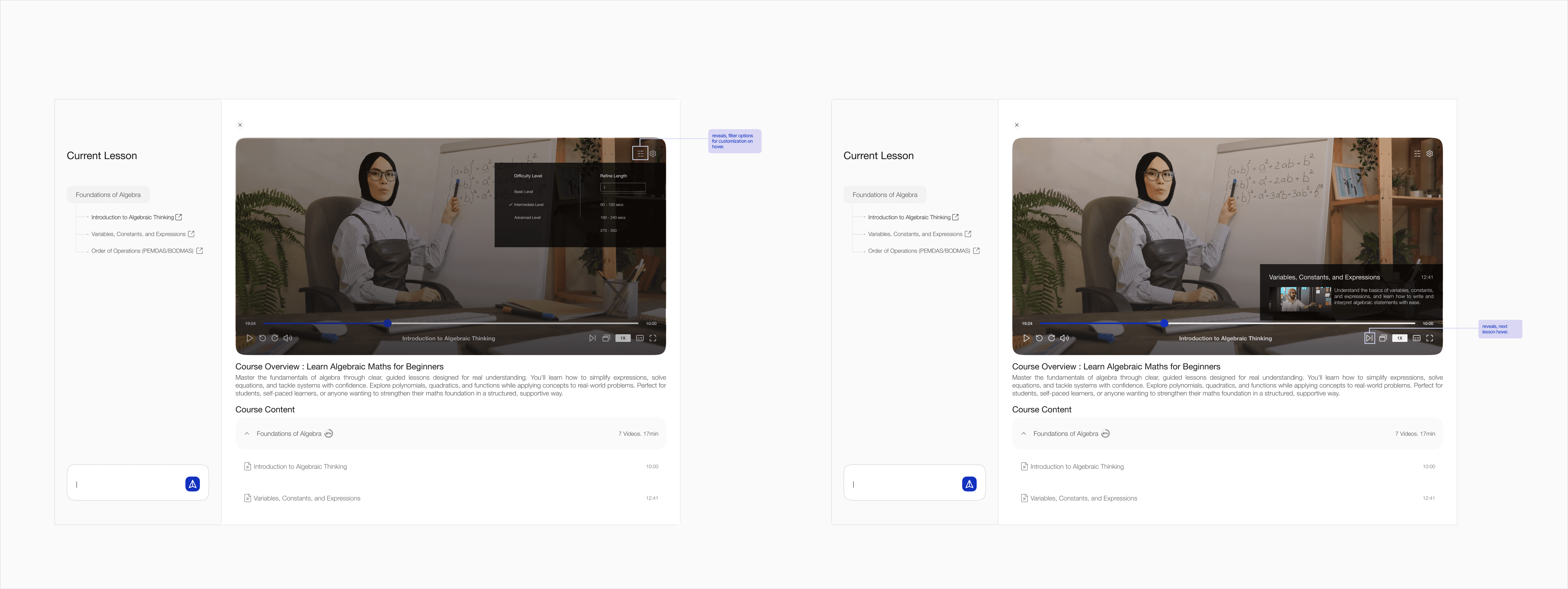
When I designed the course workspace, I started from a slide-in “response” sheet with a fixed sidebar so it would feel as familiar as tools like ChatGPT, while giving me a clearer way to control structure and focus. From research, I knew learners often felt lost in generic AI tools with no sense of progress or path, so I used the sheet to host the video and a course accordion with per-lesson progress, making it obvious where they are and where to continue. I added smarter video controls that show a visual preview of the next lesson and a simple difficulty filter, so people can quickly judge what is coming and match the content to their level instead of clicking through blindly. The sidebar holds the full course outline and an in-context chat, which was a deliberate choice to keep navigation and questioning visible but contained, turning a familiar AI pattern into a more guided, progress-aware learning space that reduces friction and keeps attention on the lesson.
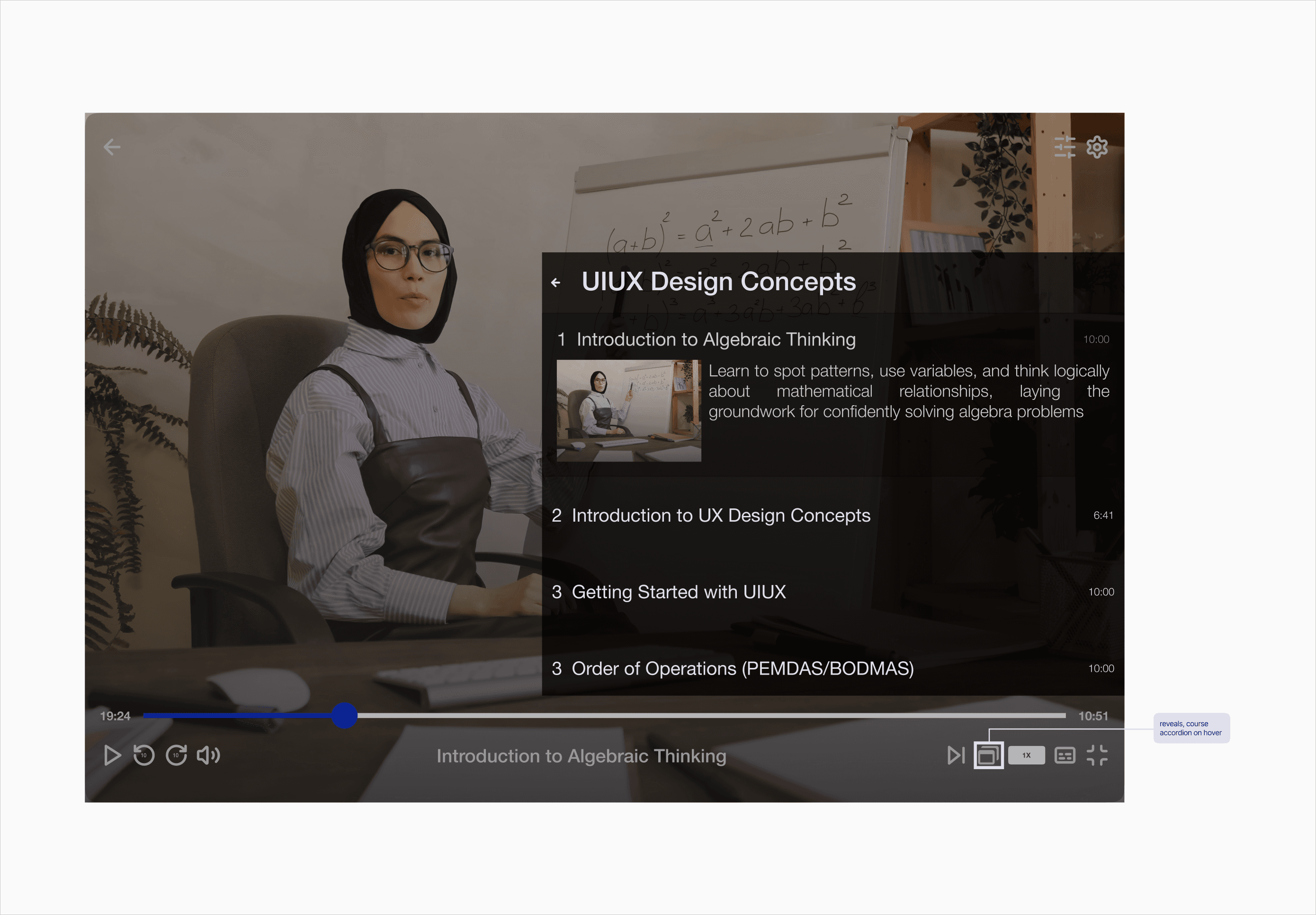
I introduced a full-screen learning mode to keep learners immersed, reduce distractions, and extend focused sessions. Because the sidebar collapses in this view, I designed a stacked-window control that preserves the same structural guidance by surfacing modules and sub-modules in an accordion, enhanced with visual previews for faster scanning and better context. This lets users navigate the curriculum without breaking flow, while keeping the learning path consistently visible.
We got users to try these prototypes, observed how they used them, how they felt, and got tons of valuable feedback.
Final Touch
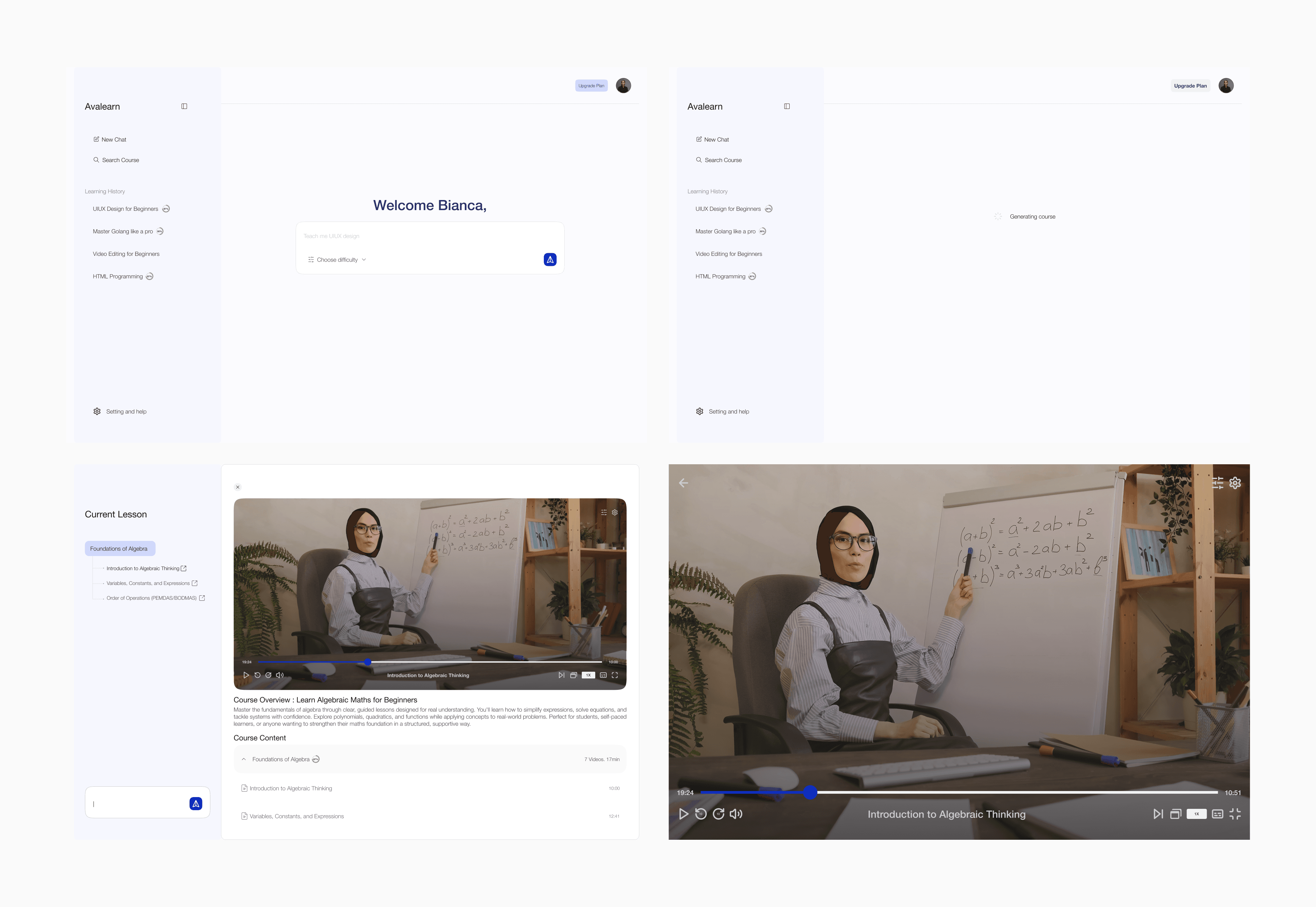
Feedback from pitches and usability sessions was clear: the product felt too bare and “tool-like.” I responded by introducing a more expressive color system that adds controlled delight, sharpens hierarchy, and makes progress states feel more rewarding, while still keeping the interface clean, legible, and focused on learning.
What I Learned
Innovation is important, but so is familiarity. I found that the best approach was to bring a familiar experience to a place where it was needed.
As a designer, we speak for the user, but work for the business. In this project, meeting the user's needs was the best way to keep users on the platform and increase engagement.